
8 Apps and Websites for Making Flashcards with AI

Sofia Bogunovic
February 14, 2025
AI Flashcard Generators: A Breakdown of the Top Tools
If you’ve ever spent hours making flashcards by hand, you know how painstaking the process can be. Sure, flashcards are one of the best ways to study—they improve active recall, spaced repetition, and memory retention—but actually creating them? That’s a whole different story, and it’s exactly why choosing the best flashcard app makes such a difference.
This is where AI flashcard generators are a real life saver. Instead of spending hours creating cards, these tools automatically generate structured flashcards from textbooks, PDFs, slides, or even handwritten notes. Within seconds, you get a study set tailored to your material—no typing, no formatting, just pure learning.
With so many AI flashcard tools out there, how do you know which one is best? This guide breaks down the best flashcard apps to help you find the perfect fit for your study style.
1. Algor Education: AI-Powered Flashcard Generation & Study Sets
If you want a flashcard tool that does it all, Algor Education is the AI-powered platform to beat. Unlike most flashcard generators that just spit out basic Q&A cards, Algor creates a full Set, a study guide organized into sections and pages, with flashcards, mind maps, summaries, and quizzes, all in one place.
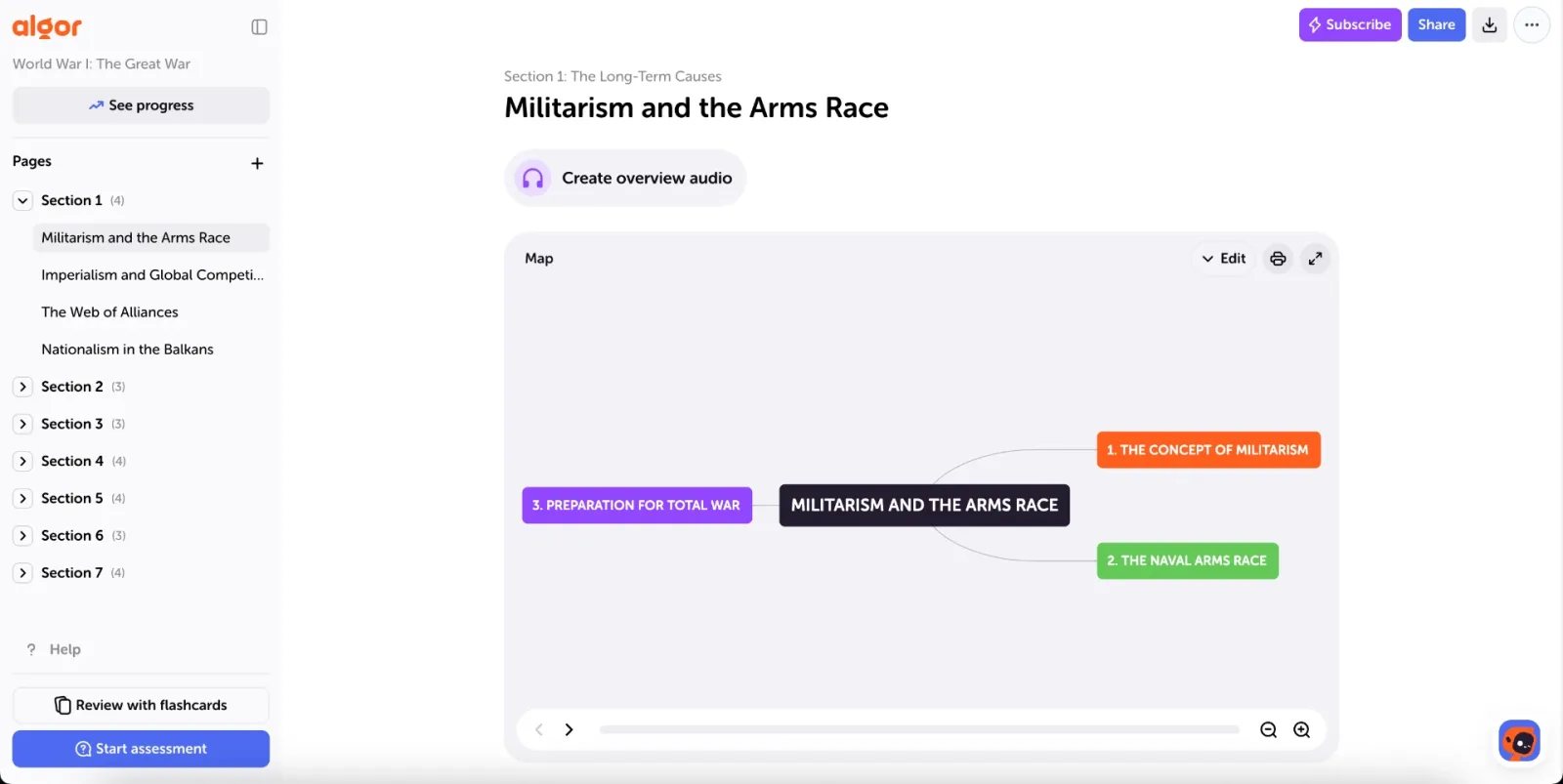
With Algor, generating flashcards is simple. From the Home, click Create an Algor Set and upload your notes, textbook pages, PDFs, Word documents, or even a photo of your handwritten materials (you can also paste text or add a web or YouTube link), and Algor’s AI will extract key concepts, definitions, and questions to create structured, ready-to-use flashcards. Tell Algor who the content is for and how it should read, check the proposed index and press Generate. You'll be able to create flashcards from PDFs, or turn images into flashcards, without typing a single card!
Another standout feature is accuracy. Unlike AI tools that generate generic flashcards, Algor works from your own content, so your flashcards are consistent with your original study materials, making it a trusted flashcard creator on any subject matter. Flashcards are always written in the language of the Set, which you choose when you create it, even if your source is in another language.
What's more, Algor's interactive flashcards come in two formats, so your reviews never feel repetitive:
- Question-and-answer flashcards – A term or question on one side and a clear, concise explanation on the other, to understand and memorize key concepts.
- Fill-in-the-blank flashcards – A sentence with missing words to complete, designed to strengthen active recall by making you retrieve the exact term instead of just recognizing it.


Both formats are built around spaced repetition. You start a review from the Set, choose whether it should cover the whole Set, a section, or a single page, and click Start review: Algor shows you only the cards due today, plus the ones you have never studied.
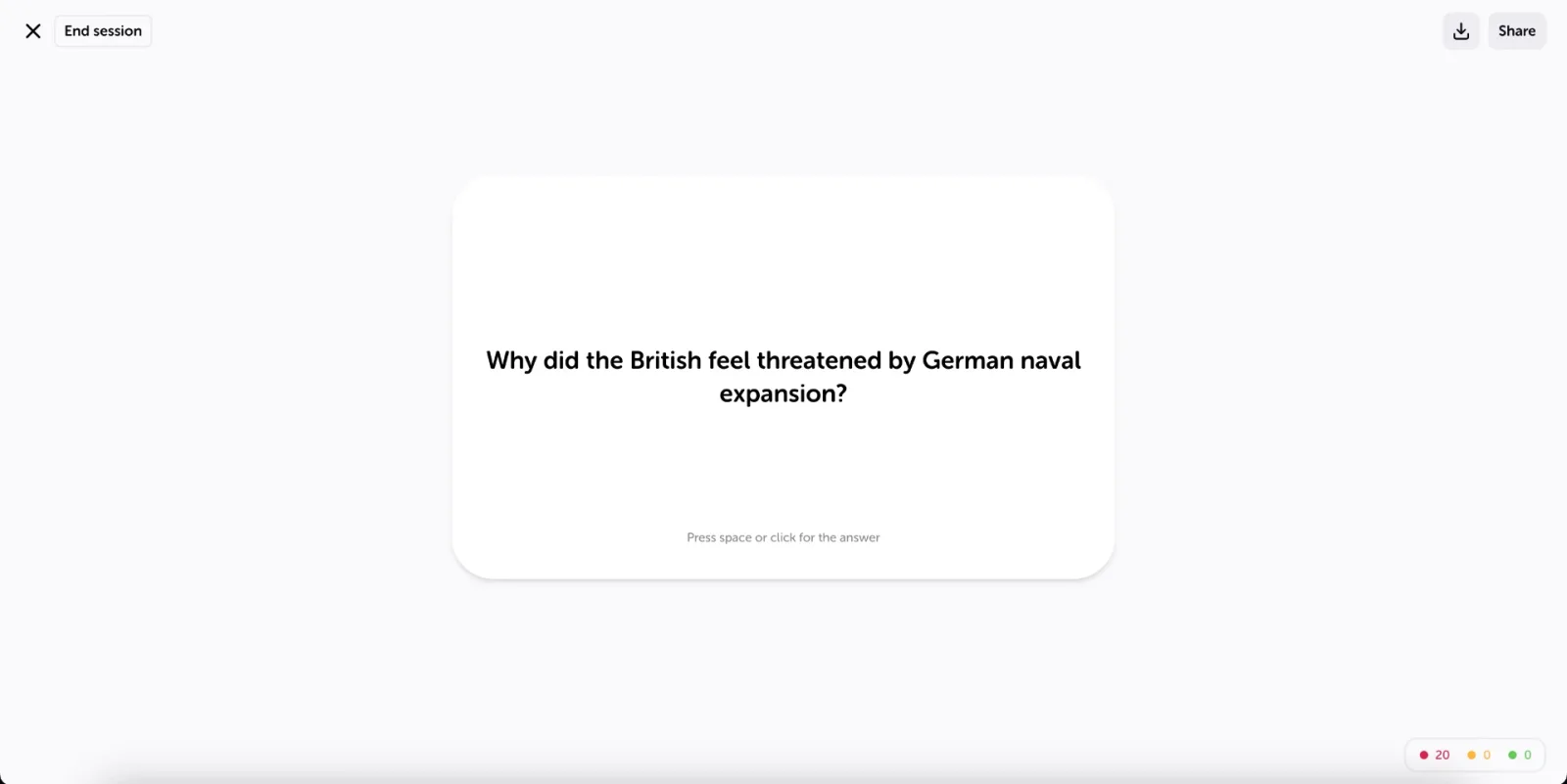
Once you flip a card, you rate how well you knew it, and your rating decides when it comes back:
- Impossible – The card comes back soon.
- Hard – The card stays at the same level.
- Easy – The card moves forward and comes back later.
- Very easy – The card moves forward a lot, so it stays out of your way for longer.
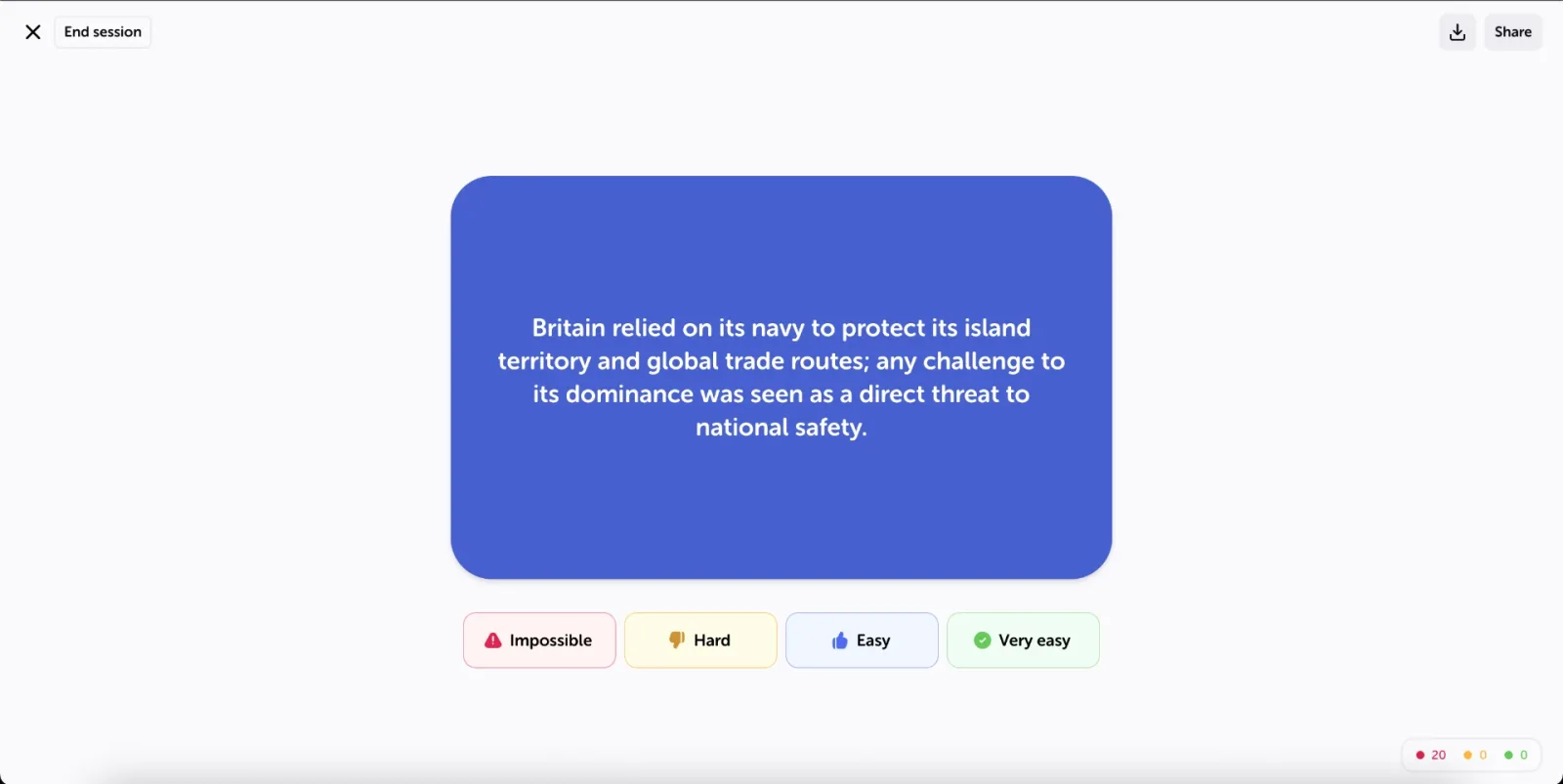
A card you keep rating well is eventually considered learned, so you spend your time only on what you still need to practice. On mobile, you can even swipe: left for Hard, right for Easy.
When it comes to flexibility, Algor gives you options: you can print your study material or share your Set with friends. You can also switch seamlessly between flashcards, summaries, mind maps, and quizzes to promote deeper learning and make your study sessions more impactful. Here's a quick overview of these features:
- Mind & Concept Maps – A visual tool that organizes information, making it easier for you to see connections between key concepts. You can edit each map by hand or simply ask the AI to change it, switch its layout (tree, radial or compact), change the colors and fonts of the nodes, add images, videos and audio, and even translate the whole map into another language.
- Summaries – A streamlined version of the essential points of a page, providing a quick and easy way to review important information.
- Quizzes – Customizable assessments with various question types, including multiple choice, true or false, completion, matching, and open answer, designed to help you test your knowledge and track your progress page by page.
Algor is also built with accessibility in mind: Listen reads any passage aloud, you can ask for simple language when you create a Set, and a high-readability font helps students with dyslexia. Born at the Politecnico di Torino, it is the all-in-one AI study assistant that makes it the best flashcard app on this list. It works on the web and in the iOS and Android apps, and you can sign up for free and try it with your own notes on the free plan, with some limits.
2. Knowt: AI-Powered Flashcards from Notes
For students who rely on digital note-taking, Knowt is a handy AI-powered tool that automatically converts notes into online flashcards. If you type your class notes into the platform, Knowt’s AI will scan the text and generate Q&A-style flashcards in seconds.
It also offers an adaptive learning mode—the platform tracks your performance and adjusts the difficulty of flashcards based on how well you know the material. This means you’ll review difficult concepts more frequently, reinforcing your understanding.
Knowt works well if you only need quick note-to-flashcard conversion. If you also want a structured study guide, concept maps, summaries and assessments built from the same notes, Algor gives you all of that in a single Set.

3. Anki: Classic Spaced Repetition for Hand-Made Decks
Anki is best known for its spaced repetition study mode algorithm, which schedules reviews based on how well you remember each card—making it one of the most efficient ways to study over time. That's why it is popular among college students who are happy to build their own decks.
With deep customization options, Anki lets you create flashcards with text, images, audio, and even video. The downside? It has a steeper learning curve than other tools, and its interface feels dated to many users. Anki is a good fit if you want to write and format every card yourself; if you would rather have the cards created from your notes, with the same kind of spaced repetition and a full study guide around them, Algor saves you that time.

4. Quizlet: The Most Popular Digital Flashcard Platform
If you’ve ever used flashcards before, you’ve probably heard of Quizlet—one of the most well-known study platforms in the world. With millions of pre-made flashcard sets, students can quickly find and use study materials for nearly any subject.
Quizlet’s AI-powered “Learn” mode adapts to your progress, testing you more frequently on difficult concepts. Keep in mind that some of its AI features are reserved for users with a paid subscription.
Quizlet is handy if you mainly want to browse decks made by others. If you want AI-generated flashcards based on your own notes, inside a complete study guide, Algor is the stronger choice; you can also read our comparison of Quizlet alternatives.

5. Revisely: AI-Driven Flashcards for Exam Preparation
If you're gearing up for a big exam, Revisely might just be the study tool you need. Unlike other flashcard apps that focus on general studying, Revisely is all about exam prep—helping you tackle key concepts with AI-generated flashcards modeled after real test questions.
While Revisely is great for standardized tests and final exams, it’s less suited to everyday studying than a complete platform like Algor, which also lets you set a goal and an exam date and follow your progress page by page.

6. Jungle AI: Gamified Flashcard Learning
For anyone struggling to stay motivated while studying, Jungle AI might just be the solution. This online flashcard maker turns learning into a game, making flashcard review more engaging and interactive instead of feeling like a chore.
Rather than just flipping through standard flashcards, Jungle AI adapts to your progress. If you’re breezing through certain topics, the app will show them less often, while trickier concepts will pop up more frequently to help reinforce your understanding. It also rewards you with streaks and challenges, making studying feel more like leveling up in a game.
Jungle AI can help if you mainly need a little extra motivation to stay consistent. For detailed study sets built from your own material, with maps, summaries and assessments alongside the flashcards, Algor goes much further.

7. Brainscape: Confidence-Based Repetition
Brainscape takes a unique approach to flashcard studying - instead of just marking an answer right or wrong, you rate your confidence on a scale from 1 to 5. If you’re struggling with a concept, it will show up more often, while topics you’ve mastered get spaced out—helping you retain information efficiently without unnecessary repetition.
Brainscape also makes it easy to study with friends. You can share decks with classmates or study groups, making collaborative learning simple and effective. And if you don’t want to start from scratch, the platform has a huge library of pre-made flashcard sets across a variety of subjects.
Brainscape centres its experience on flashcard decks and also offers AI generation from uploaded materials. Algor is our choice for studying the whole subject: the cards belong to a complete guide with editable concept maps, explanations, summaries and assessments, so you can work on the understanding behind each answer as well as recall.

8. QuizRise: Minimalist AI Flashcard Generation
If you’re looking for a lightweight, no-frills AI flashcard maker, QuizRise is a solid option. It quickly generates basic question-and-answer flashcards based on your uploaded text. The clean, minimalist interface makes it easy to focus, and it focuses on quick card generation rather than on advanced study features.
QuizRise is fine if all you need is a fast, simple way to make a few flashcards; to actually study a whole subject, you will want the spaced repetition, maps and assessments that Algor puts in one Set.

The Best Flashcard App: Why Algor Comes Out on Top
There are many AI-powered flashcard tools out there, but most of them do one thing: make cards. To really study, you need more. Algor Education turns any material (PDFs, Word files, photos, text, web and YouTube links) into a single Set with question-and-answer and fill-in-the-blank flashcards, spaced repetition, customizable concept maps, summaries, an audio overview and assessments, on the web and on iOS and Android. That is why it is the best flashcard app on this list: create your free account and turn your next chapter into flashcards.
For those of you looking to explore other AI tools that support different aspects of learning, check out our guide to AI homework helpers for multiple subjects, from math solvers to writing and translation tools. Finding the right combination of AI-powered study aids can help you work smarter, stay organized, and boost retention—making every study session more effective.


Faq
Frequently Asked Questions

Related articles

Get Started with Algor
Transform your content into structured, visual and personalized learning paths.

.svg)


